

Experiencing double emails in your sent folder of your outlook.com email address? I had the same issue when sending mail from Thunderbird via outlook.com SMTP on a custom domain (via domains.live.com).
Luckily, the solution is very simple. Outlook.com automatically places anything sent through their servers in the account’s sent mail folder, and most mail clients by default are configured to place a copy in the sent folder too. While this is required with Gmail, with Outlook.com it is redundant and should be disabled.
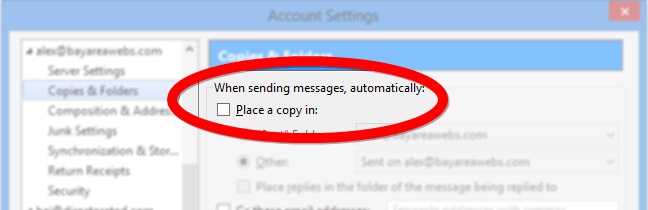
To disable this on Thunderbird, head to Tools > Account Settings > Account Name > Copies & Folders, then uncheck “Place a copy in” under the sent section.
Once you’ve done that, feel free to manually delete the duplicates.