

Earlier today I had the misfortune of finding a contact form from a potential client in the spam folder of my mailbox. Here’s what I did to make sure it never happens again.
Although it is possible to configure a contact form plugin to send with authenticated SMTP, it is often easier and less time-consuming to simply set a send-from email with the main domain - meaning the “from” field is [email protected].

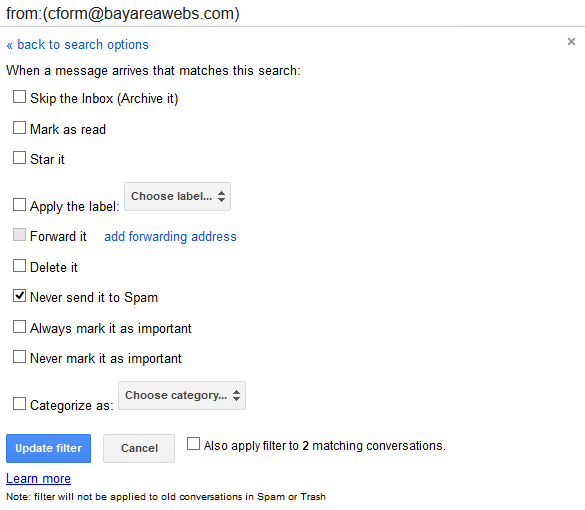
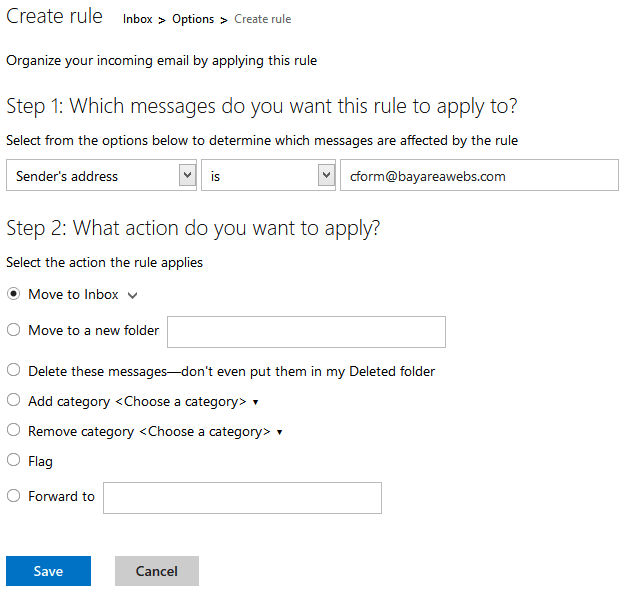
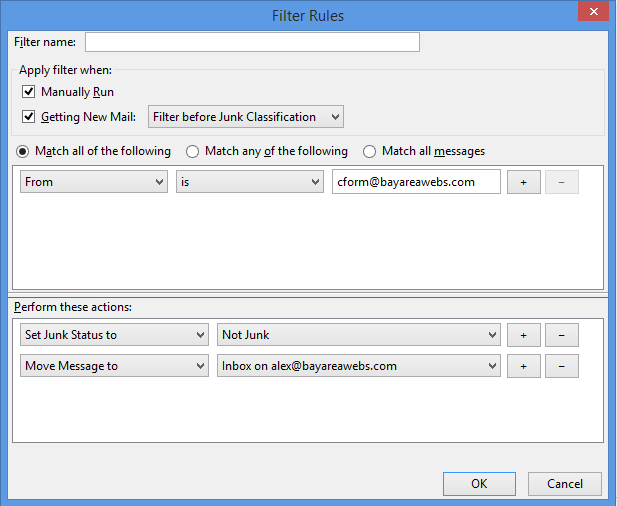
The issue with using this method is that the sent email is not authenticated and looks like spam to mail providers. The solution is to create a custom filter within your webmail or mail client. Below are example rules for Gmail, Outlook.com, and Thunderbird.
Do these two simple steps and your contact forms won’t ever end up in your spam folder.